Best Mice for Programmers 2026 — Precision, Ergonomics & Productivity Compared
For programmers, a mouse is just as important as a keyboard. Code reviews, debugging, browsing, design tool operations — if you click and scroll thousands of times a day, your mouse choice directly impacts wrist health and productivity.
In this article, we compare 5 popular mice and trackballs for developers as of 2026 across 5 evaluation criteria from a programmer's perspective. We provide a data-backed answer to "Which one should I get?"
Verdict: Best Picks by Use Case
All-round Performance
Logitech MX Master 3S
MagSpeed scroll, Flow, and silent clicks — the triple-threat classic. When in doubt, choose this
Wrist Health Priority
Logitech MX Ergo S
20-degree angle adjustment and trackball minimize wrist strain. Ideal for RSI prevention
Precision & Lightweight
Razer DeathAdder V3 Pro
Ultra-light 63g with 30K DPI sensor for outstanding precision. Also great for gaming
Desktop Trackball
Kensington SlimBlade Pro
55mm large ball for comfortable operation. 4-directional scrolling with virtually zero wrist strain
Scoring Criteria
Cursor control accuracy, sensor performance, and DPI range
Wrist and arm strain, comfort during extended use
Button count, customization, macros, and gestures
Bluetooth/USB-C/dongle support and multi-device switching
Satisfaction relative to price and durability
Comparison Table
| Item | Logicool MX Master 3S | Logicool MX Ergo S | Razer DeathAdder V3 Pro | Apple Magic Mouse | Kensington SlimBlade Pro |
|---|---|---|---|---|---|
| Score | 88 | 84 | 77 | 66 | 82 |
| Verdict | The Definitive Classic | The Wrist Saver | The Precision Pinnacle | The Apple Devotee's Badge | The Desktop King |
| Price Range | ¥14,000 - ¥17,000 | ¥16,000 - ¥19,000 | ¥15,000 - ¥20,000 | ¥10,000 - ¥14,000 | ¥13,000 - ¥17,000 |
| Sensor | 8000 DPI (Darkfield sensor) | 2000 DPI (trackball) | 30000 DPI (Focus Pro 30K) | Laser sensor (DPI undisclosed) | Optical (400 DPI trackball) |
| Buttons | 7 | 6 | 5 | 1 (Multi-Touch surface) | 4 |
| Connection | Bluetooth / Logi Bolt USB | Bluetooth / Logi Bolt USB | USB-C / 2.4GHz HyperSpeed | Bluetooth / USB-C (charging only) | Bluetooth / USB-C / 2.4GHz dongle |
| Battery | USB-C charging (70 days on full charge) | USB-C charging (120 days on full charge) | USB-C charging (up to 90 hours) | Built-in rechargeable (~1 month) | Built-in rechargeable (up to 4 months) |
| Weight | 141g | 259g (designed for stationary use) | 63g | 99g | 280g (designed for stationary use) |
| Supported OS | Windows / macOS / Linux / iPadOS | Windows / macOS / iPadOS | Windows / macOS | macOS | Windows / macOS / iPadOS |
Product Details
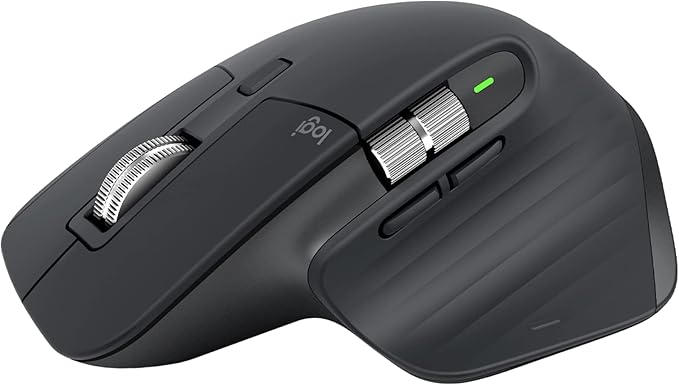
Logicool MX Master 3S
Logicool · ¥14,000 - ¥17,000
For programmers who want to maximize productivity across multiple devices
Good
- ✓MagSpeed electromagnetic scroll for 1,000 lines per second
- ✓Advanced per-app customization via Logi Options+
- ✓Flow feature for seamless switching between up to 3 PCs
- ✓Silent clicks that won't disturb during late-night work or in the office
Bad
- ×Somewhat heavy at 141g
- ×Too large for users with small hands
- ×Priced in the mid-$100 range
Score Breakdown

Logicool MX Ergo S
Logicool · ¥16,000 - ¥19,000
For engineers who want to prevent RSI and minimize wrist strain
Good
- ✓20-degree angle adjustment significantly reduces wrist strain
- ✓Trackball operation eliminates arm movement, reducing fatigue
- ✓Space-saving design works comfortably on narrow desks
- ✓Logi Options+ compatible with Flow feature support
Bad
- ×Trackball operation requires an adjustment period (1-2 weeks)
- ×Pixel-level precision is inferior to traditional mice
- ×Ball requires periodic cleaning
Score Breakdown
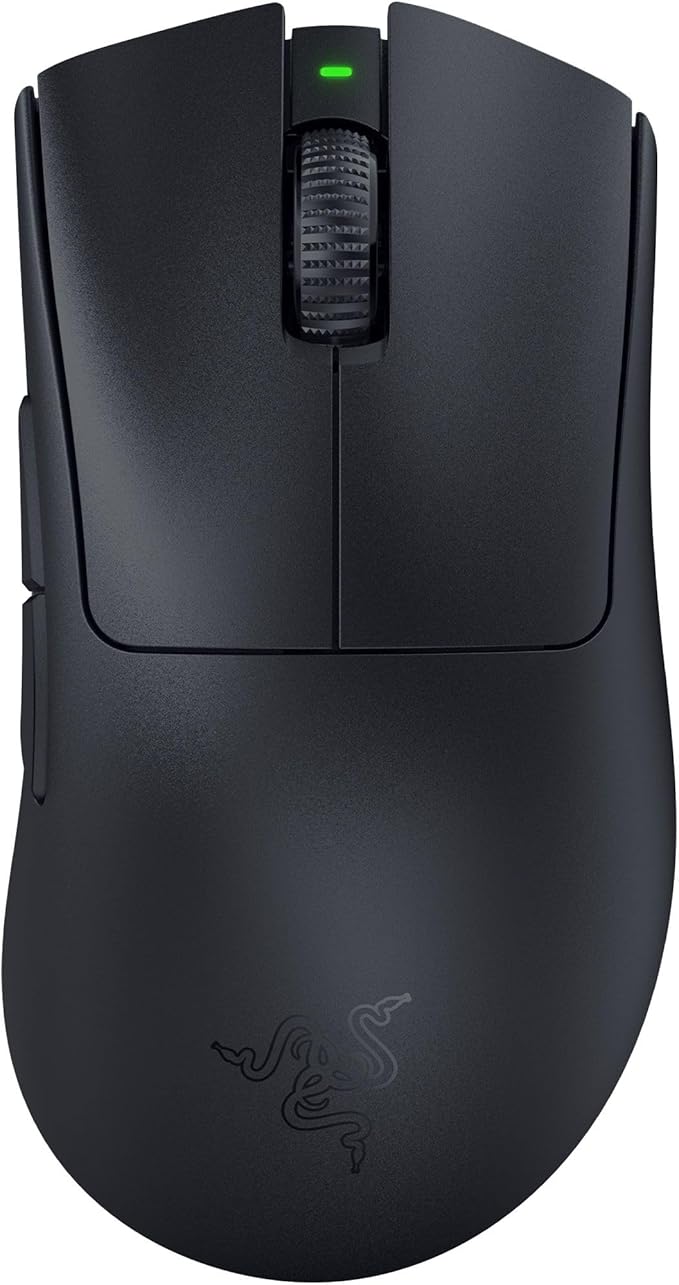
Razer DeathAdder V3 Pro
Razer · ¥15,000 - ¥20,000
For developers who demand peak cursor precision and also enjoy gaming
Good
- ✓Ultra-lightweight 63g design reduces hand fatigue during extended use
- ✓Focus Pro 30K optical sensor delivers outstanding tracking precision
- ✓Ergonomic shape provides a natural grip
- ✓Double-duty for gaming — seamlessly transition from work to play
Bad
- ×Few buttons with limited productivity features
- ×No multi-device switching support
- ×Requires Razer Synapse, which is resource-heavy
Score Breakdown

Apple Magic Mouse
Apple · ¥10,000 - ¥14,000
For Apple users who want to fully leverage macOS gestures
Good
- ✓Multi-Touch gestures make swiping and scrolling intuitive
- ✓Deep macOS integration for smooth Mission Control and other operations
- ✓Slim design that is easy to carry
- ✓Excellent affinity with the Apple ecosystem
Bad
- ×Poor ergonomics cause wrist strain during extended use
- ×Cannot be used while charging (port on the bottom)
- ×DPI is undisclosed and non-adjustable
- ×Virtually no customizable buttons
Score Breakdown

Kensington SlimBlade Pro
Kensington · ¥13,000 - ¥17,000
For engineers who prefer large trackballs and aim for zero wrist strain
Good
- ✓55mm large trackball balances precision and comfort
- ✓Simply rotate the ball for 4-directional scrolling
- ✓Whole-hand operation virtually eliminates wrist strain
- ✓KensingtonWorks support for flexible button customization
Bad
- ×Large form factor is not portable
- ×Requires a unique learning curve (especially for drag operations)
- ×Fine-tuning scroll speed can be tricky
Score Breakdown
Choose by Use Case × Budget
| Use Case | $100+ | $100–$150 | $70–$100 | Under $70 |
|---|---|---|---|---|
| Top all-round performance | Logitech MX Master 3S | — | — | — |
| Wrist health priority | Logitech MX Ergo S | — | — | — |
| Precision & lightweight | — | Razer DeathAdder V3 Pro | — | — |
| Gaming dual-use | — | Razer DeathAdder V3 Pro | — | — |
| macOS integration | — | — | Apple Magic Mouse | — |
| Desktop trackball | Kensington SlimBlade Pro | — | — | — |
| Multi-device workflow | Logitech MX Master 3S | — | — | — |
| Apple ecosystem | — | — | — | Apple Magic Mouse |
FAQ
Conclusion
For all-round performance, the Logitech MX Master 3S is unmatched. MagSpeed scroll, Flow, silent clicks — it delivers everything developers need at a high standard.
For wrist health, the Logitech MX Ergo S or Kensington SlimBlade Pro. Trackballs require an adjustment period, but they significantly reduce RSI risk. Choose the MX Ergo S for its angle adjustment, or the SlimBlade Pro if you prefer a large ball.
For precision and gaming, the Razer DeathAdder V3 Pro. With its ultra-lightweight 63g body and 30K DPI sensor, it handles everything from coding to gaming.
Ultimately, "does it fit your hand?" is the most important question. If possible, try the actual device at a store before purchasing.
Author's Related Implementations
The author has built 3 related interactive demos.
This page contains Amazon Associates affiliate links. Purchases may earn sakimyto a commission, but this does not affect product ratings or rankings. Prices may vary — check Amazon for the latest.